
Meeting Room Attendee Interaction Modules
Engagement
Let’s face it—engagement is hard. Whether you’re hosting an in-person event or a virtual one, keeping attendees actively involved is a meeting planner challenge. The VXP team understands the challenge and the VXP Meeting platform has been purpose built to easily offer as many, or as few, attendee interaction options that the meeting planner chooses.
In addition each Attendee Interaction module is created with the meeting planner needs in mind (such as ability to select which interactions to offer in each meeting room, and instantly available analytics and input reports). And Interaction modules are created with the AV Production in mind (such as routing the selected attendee submitted question to a confidence monitor, or enabling the in-ballroom attendees to also participate in emoji reactions!).
Custom Built for Performance & Seamless Integration
It is your meeting, you decide what attendee interaction modules are in your meeting room. Turn on 1 or all! Most are included in meeting package pricing.
- Created to meet the meeting needs, based on corporate event needs
- Coded for performance, and visual styling
- Created for hybrid events
- Many modules also available as VXP Connect la carte options for any event
Emoji Reactions
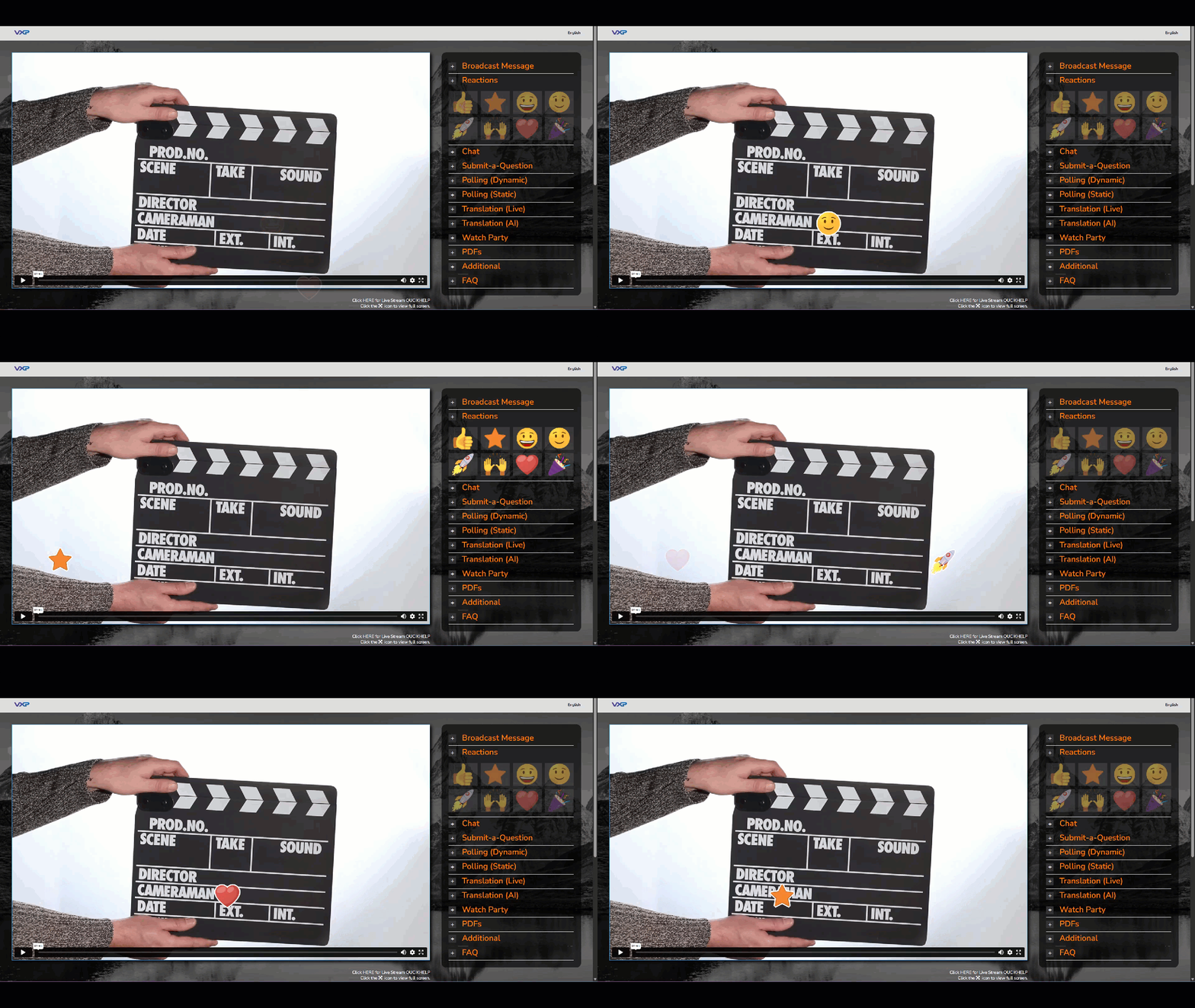
All VXP Meeting Rooms can have emoji reactions turned on. Attendees can click on an emoji at any time and add it to the meeting room having it float up for all attendees to see.
The reactions are designed to be visually engaging but unobtrusive:
- Float Height: Emojis only rise to just below the halfway point of the screen, keeping the live stream player clear.
- Random Placement: They start from different points across the screen to avoid blocking any specific content.
- 2-Second Delay: After sending an emoji, attendees must wait 2 seconds before sending another—yes, there’s a story behind that! Let’s just say it involves a very enthusiastic awards show and a screen full of emojis. 😄
Want your own branded emoji set? You got it! Customize the emoji art set for your event to match your brand identity.
The VXP Emoji Reactions module is AV-ready with a separate private screen for an AV connected computer to display the incoming emoji’s on the meeting room screen as a alpha overlay.
Attendee Chat
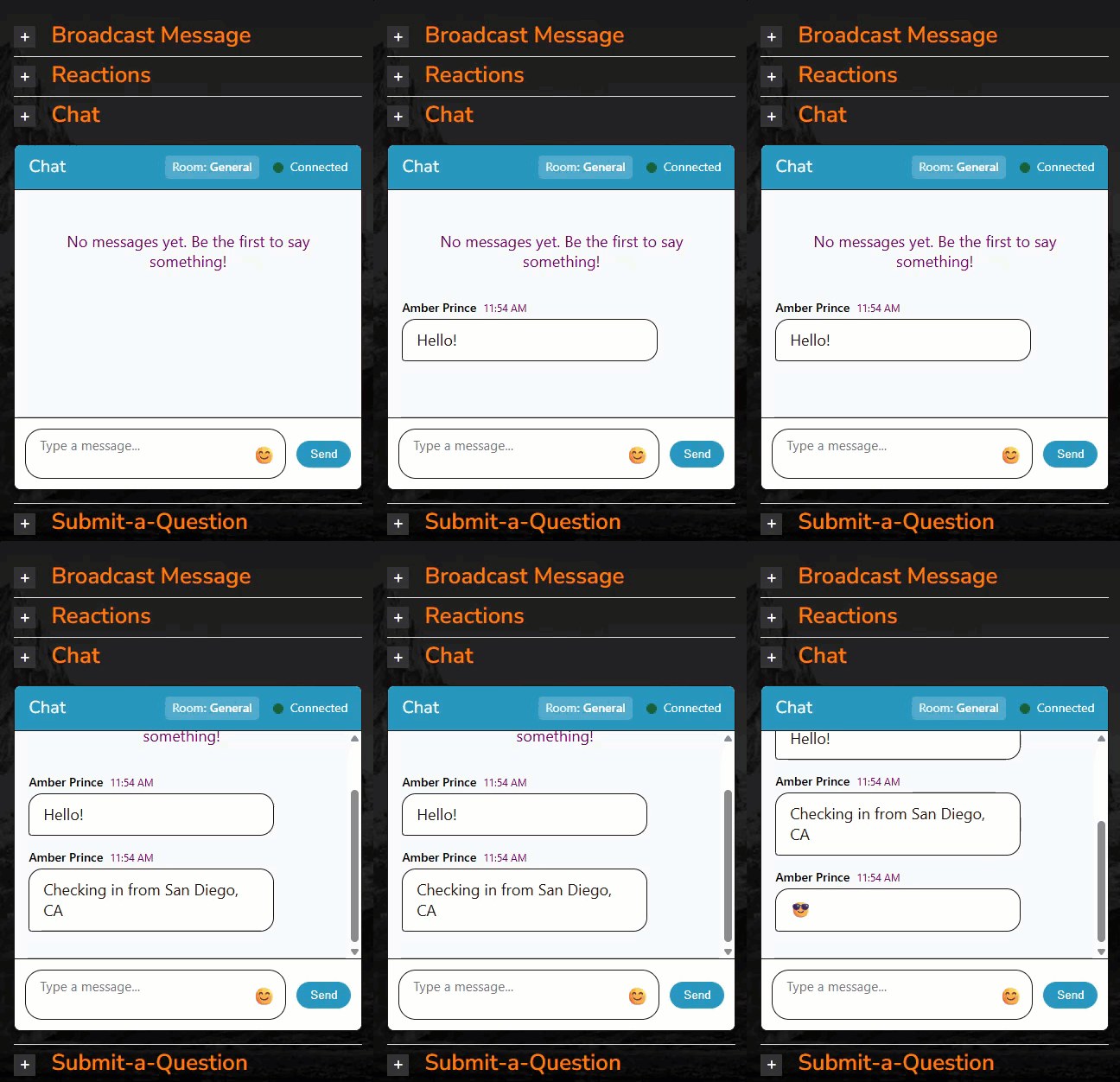
Text based chat is a standard, and an expectation for meetings today. Attendee names auto populate based on their meeting room login, so attendees just need to type their chat message and click send!
The VXP Attendee Chat is AV-ready with a separate private screen for an AV connected computer to display a full screen attendee chat that can displayed in confidence monitor, or on a presenter iPad.
- Auto populates attendee name
- Can be expanded or collapsed by each attendee to match their preference
- Text and a library of 200+ emojis
- Profanity filter active
- Post meeting the attendee chat is provided as an excel report
Live Translation
VXP leverages Interprefy for a seamless and robust translation experience. Virtually any languages can be added to a meeting with the translation widget providing spoken translation and live captioning (readable translation). Translation includes post-meeting archive videos in each language, transcript text documents, and closed caption .SRT files.
Note: CC, closed captions, is also available in a VXP video player. But closed captions are not translation. A single language is selected for the captions and words are displayed as the presenter or narration happens. The presenter language and captions language must match (e.g. English spoken – English captions, Spanish spoken – Spanish captions), no translation happens for video player captions.
Platform text translation is different than Presenter/Live Translation, but is available for all VXP Meeting rooms! Onscreen interface translation is included when Live Translation is added, but can also be an optional add-on to any meeting room.
Submit-a-Question
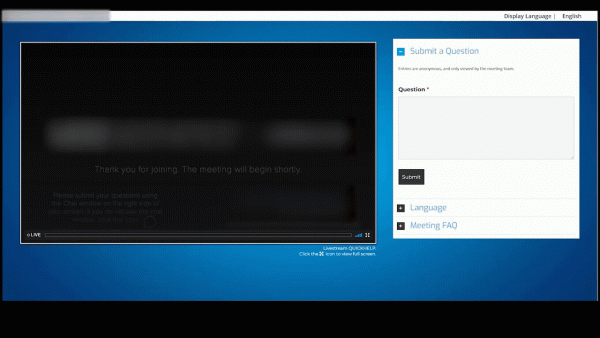
The VXP Submit-a-Question module is our most popular tool. It is used by VXP Meeting platform events, and as a standalone feature for in-person, and Teams/Zoom based corporate events. Secure, private from other attendees viewing submissions, and organized by the meeting planner. If integrated into a VXP meeting room, the submitter name and email are automatically populated. For in-person attendees, options for event login can also auto populate submissions, or these can be manual entry fields.
On the backend, select a question (in any order submitted) to be viewed on the presenter screen, mark any questions to be archived (e.g. to address later and hide from the meeting list), or **
The VXP Submit-a-Question is AV-ready with a separate private screen for an AV connected computer to display a the selected question on a confidence monitor, or on a presenter iPad.

Broadcast Messages
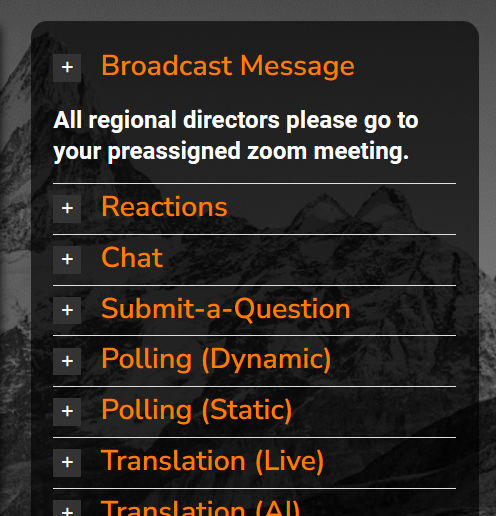
Send a message to all attendees! A Broadcast Message, when requested, closes any other module and displays in bold text the message for all attendees. This may be a simple “Meeting currently on break”, “All Presenters, please go to your assigned breakout sessions” or any message that should be seen by all attendees.
Slido Polling
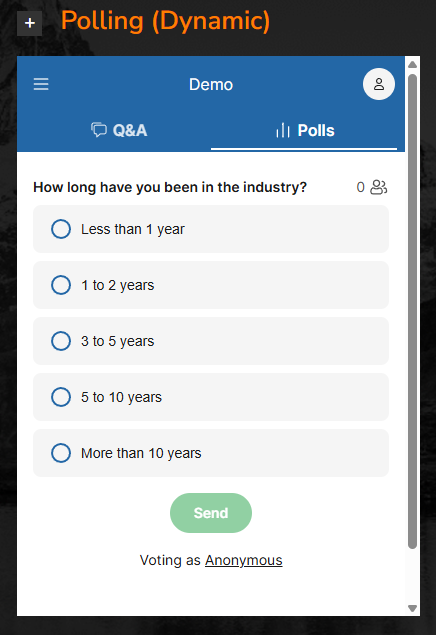
Live, dynamic polling is a great audience interaction tool. Slido is a leader in audience polling and can be seamlessly integrated into a VXP meeting room. Use your Slido account or the VXP account for your event.
The VXP Submit-a-Question is AV-ready with a separate private login for an AV connected computer to display a the polling questions and results in real time to the in-room audience, or send to a confidence monitor for presenters to react to.
Watch-Party Sign-in
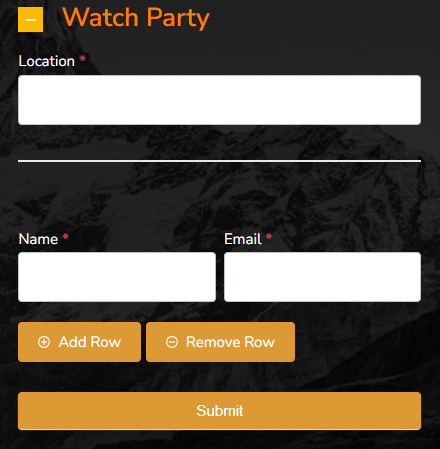
Remote attendee meetings continue to evolve. The “Watch Party” is part of the evolution, with groups of remote attendees gathering to view a meeting together. Based on event requests, VXP developed a Watch Party Sign In module, enabling remote attendees at different Watch Party gatherings to “sign in” and get credit for being at the meeting.
Simple, easy to use, valued by Meeting Planners – that is what VXP brings to meetings.
File Download and PDFs
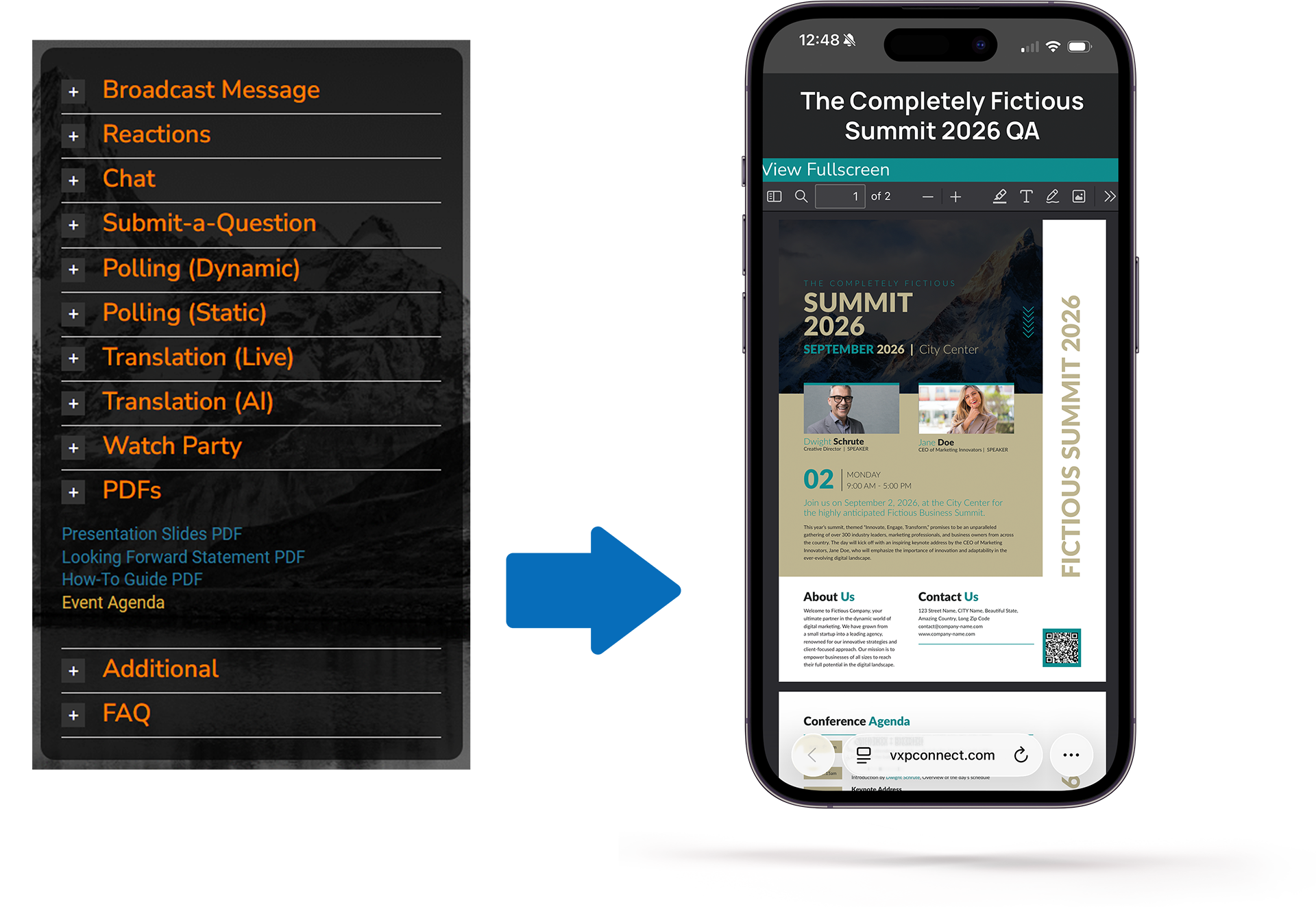
Meeting materials can be PDF documents, other videos, Word docs, links to scavenger hunt lists, and much more! VXP meeting rooms have added every type of document and link, which definitely demonstrates the flexibility of VXP meeting rooms, and their robust performance to handle so many different file types.
PDFs specifically are difficult as different devices have different ways of displaying them. For example, IOS devices default to previewing PDFs in the Safari browser, where interactive links in a PDF do not work, printing or saving a PDF are not consistent, and embedded content can display different than expected. VXP meeting platforms and standalone PDF meeting planner tools open the PDF in the VXP PDF viewer to assure a consistent experience across all devices, for all attendees – plus meeting planner control over what features are available (e.g. download, print, save can be turned on or off)!
Meeting Agenda
Every meeting room has the option to turn on the agenda, which displays below the live stream. If there are virtual breakout sessions, the agenda can also have links on those sessions for virtual attendees to easily join their breakouts!
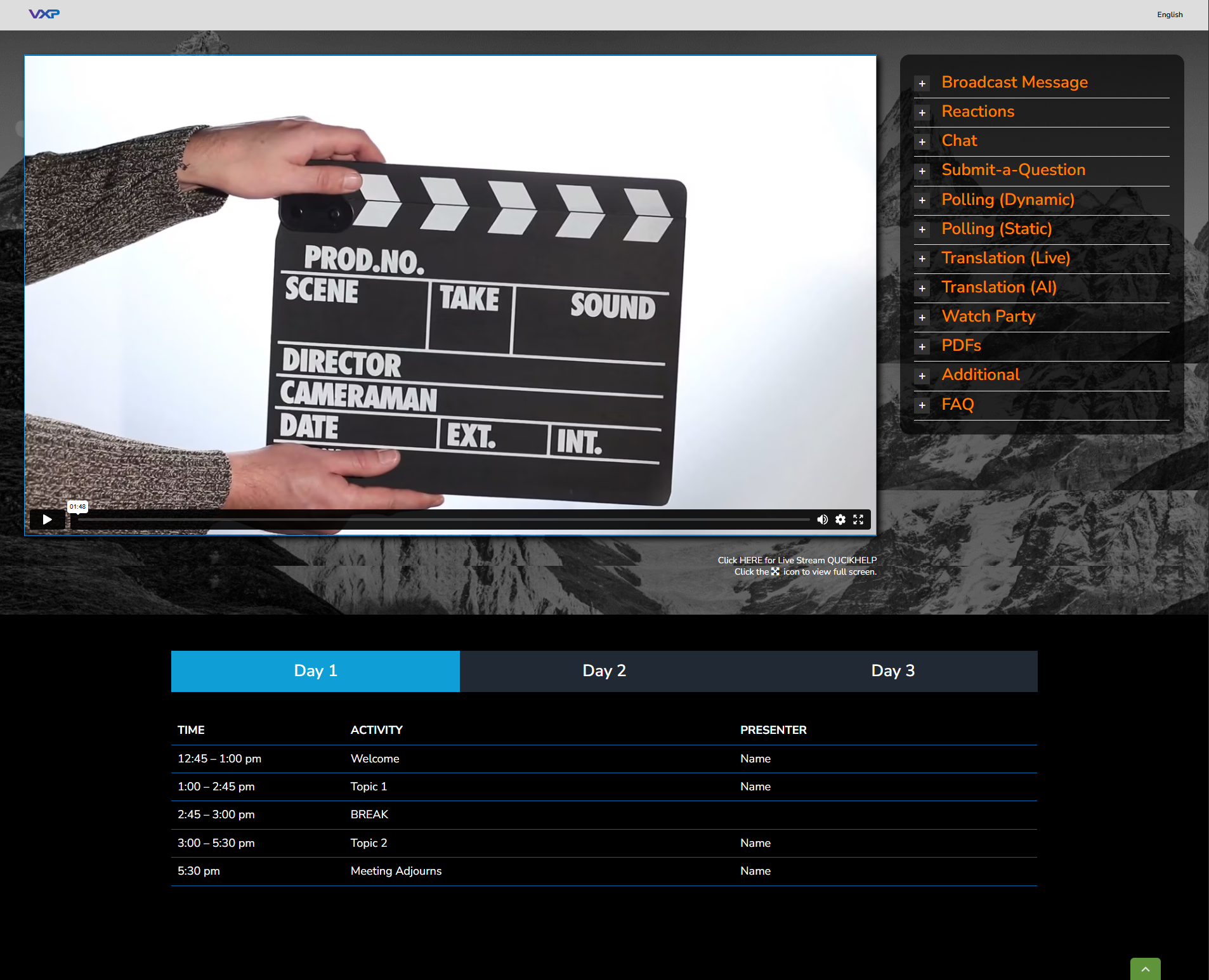

VXP Virtual Meetings are a true corporate event destination for remote attendees, delivering a memorable experience—made even better with VXP Connect’s smart digital meeting tools.
A customized virtual meeting with multiple presentation technologies and an interactive and engaging attendee experience